Organize Your Life with LifeVault
Turn your existing cloud and local storage into a structured vault for IDs, warranties, receipts, and important documents—complete with presets, smart naming, and reminders.
Everything You Need to Stay Organized
LifeVault provides all the tools you need to transform your cluttered files into a well-organized vault.
Smart Organization
Automatically structure your files with intelligent presets for IDs, warranties, receipts, and more.
Expiry Reminders
Never miss a warranty expiration or document renewal with smart reminder notifications.
Works Everywhere
Seamlessly integrates with your existing cloud storage providers and local folders.
Smart Naming
Consistent file naming conventions that make finding documents a breeze.
100% Private
Your files stay on your devices. No uploads to third-party servers required.
Fast & Lightweight
Built with performance in mind. Quick to launch, easy on resources.
See LifeVault In Action
Explore each feature with our comprehensive walkthrough
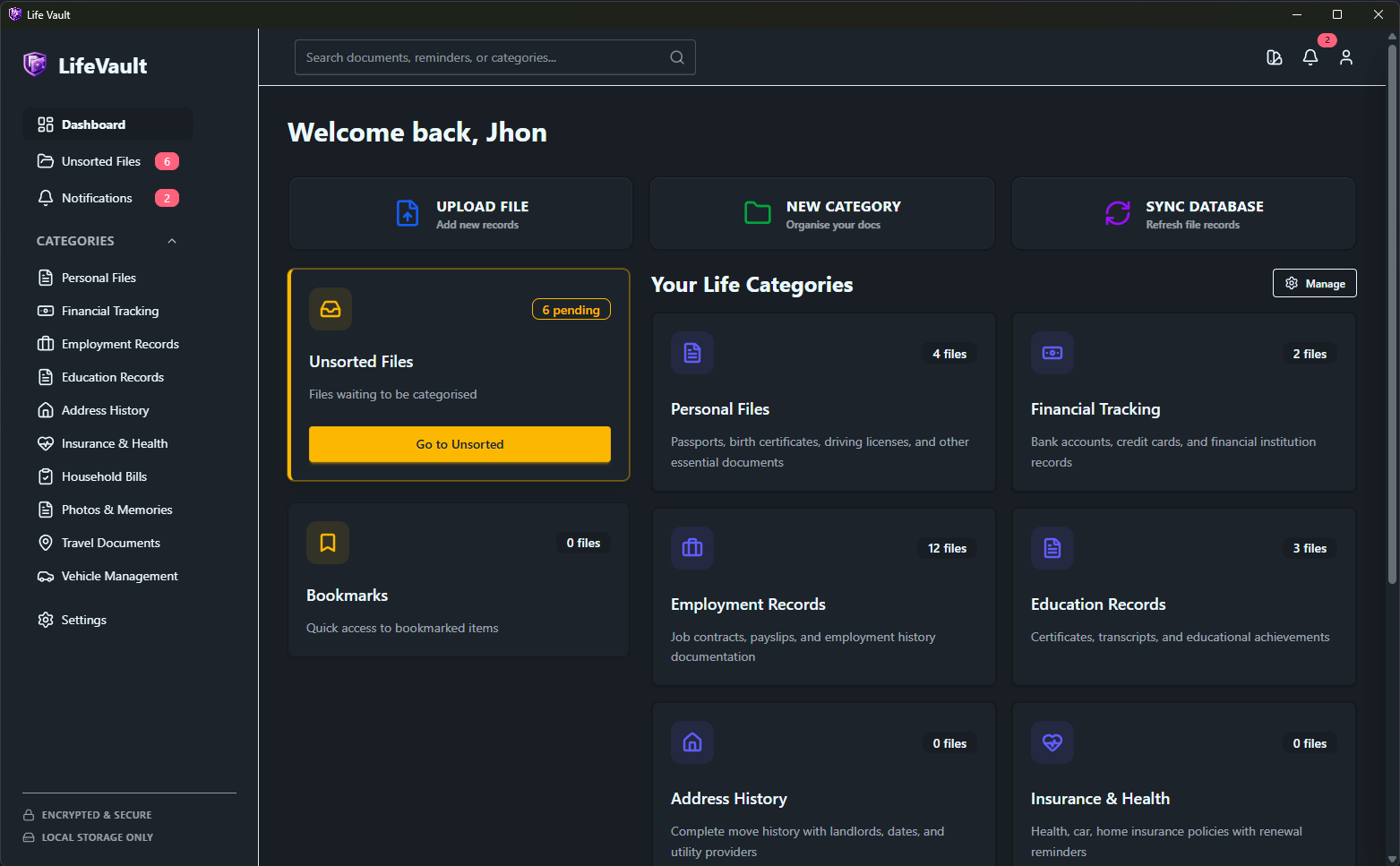
Dashboard Overview
The main dashboard gives you a quick overview of your vault. See your recent files, upcoming expirations, and quick actions all in one place.
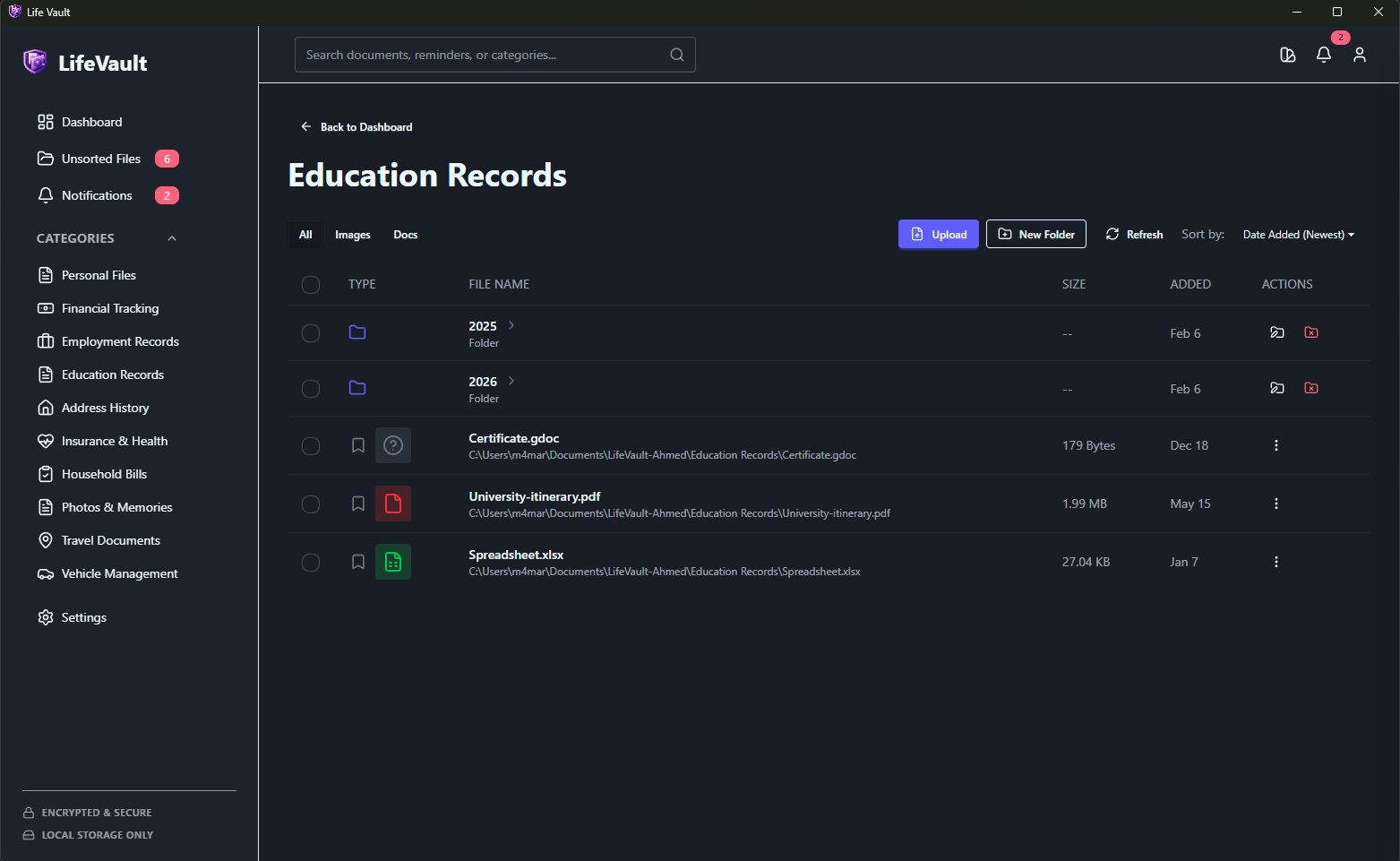
Managing Your Files
Browse and manage all your documents in the file list view. Use filters and search to quickly find what you need.
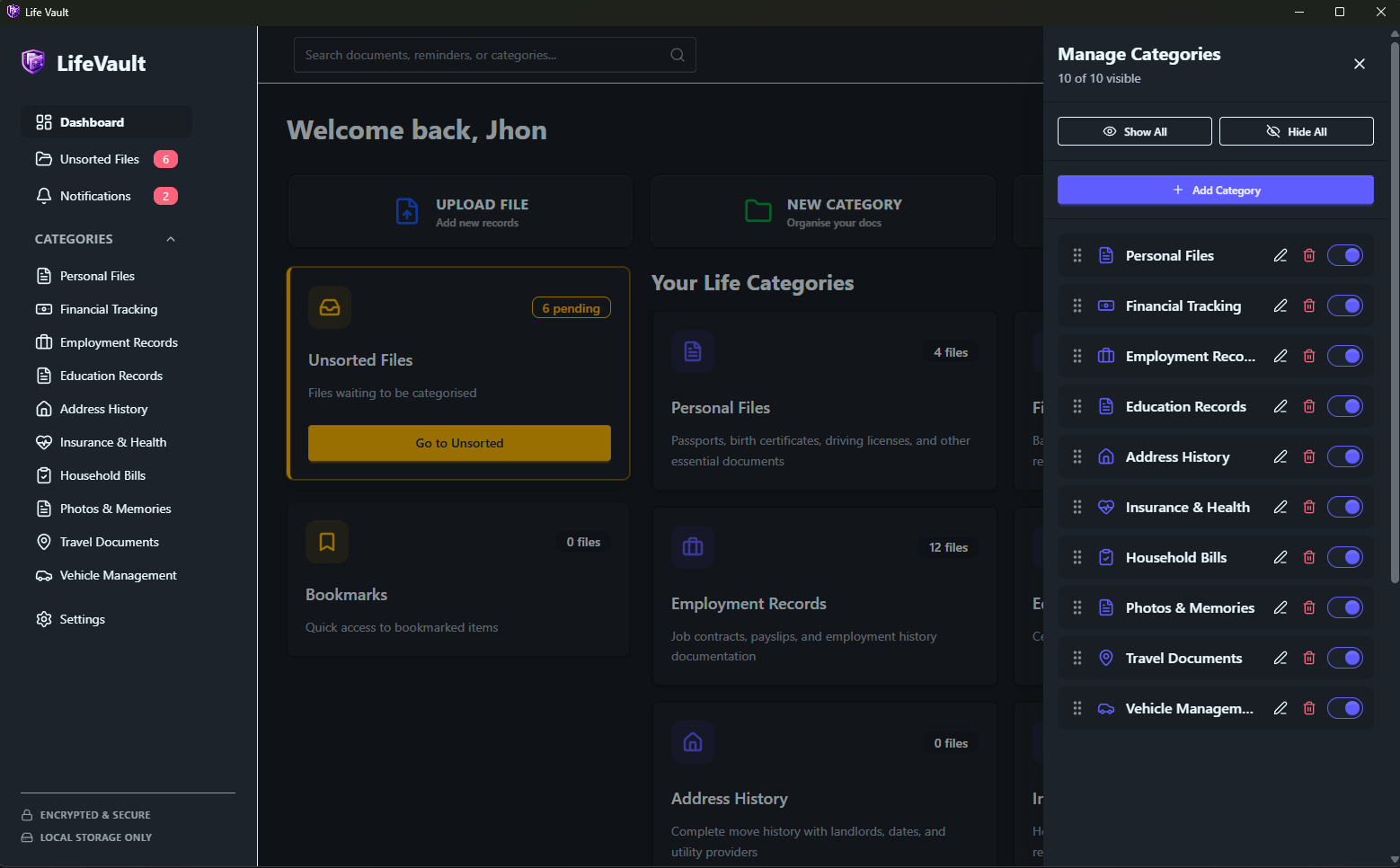
Organizing Categories
Create and manage categories to keep your documents organized. Use presets for common document types like IDs, warranties, and receipts.
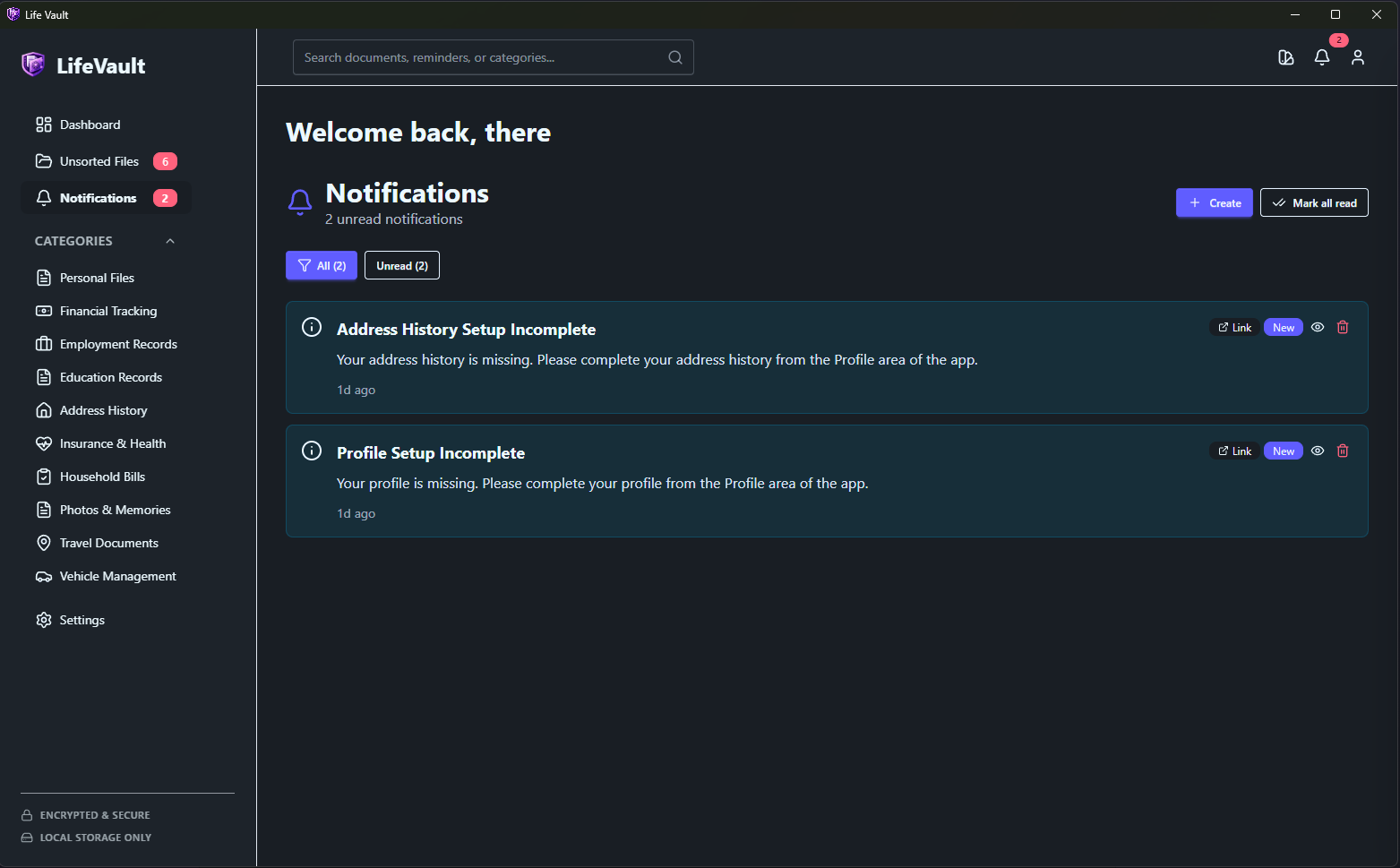
Never Miss an Expiration
Set up smart notifications to remind you about document expirations, warranty deadlines, and renewal dates.
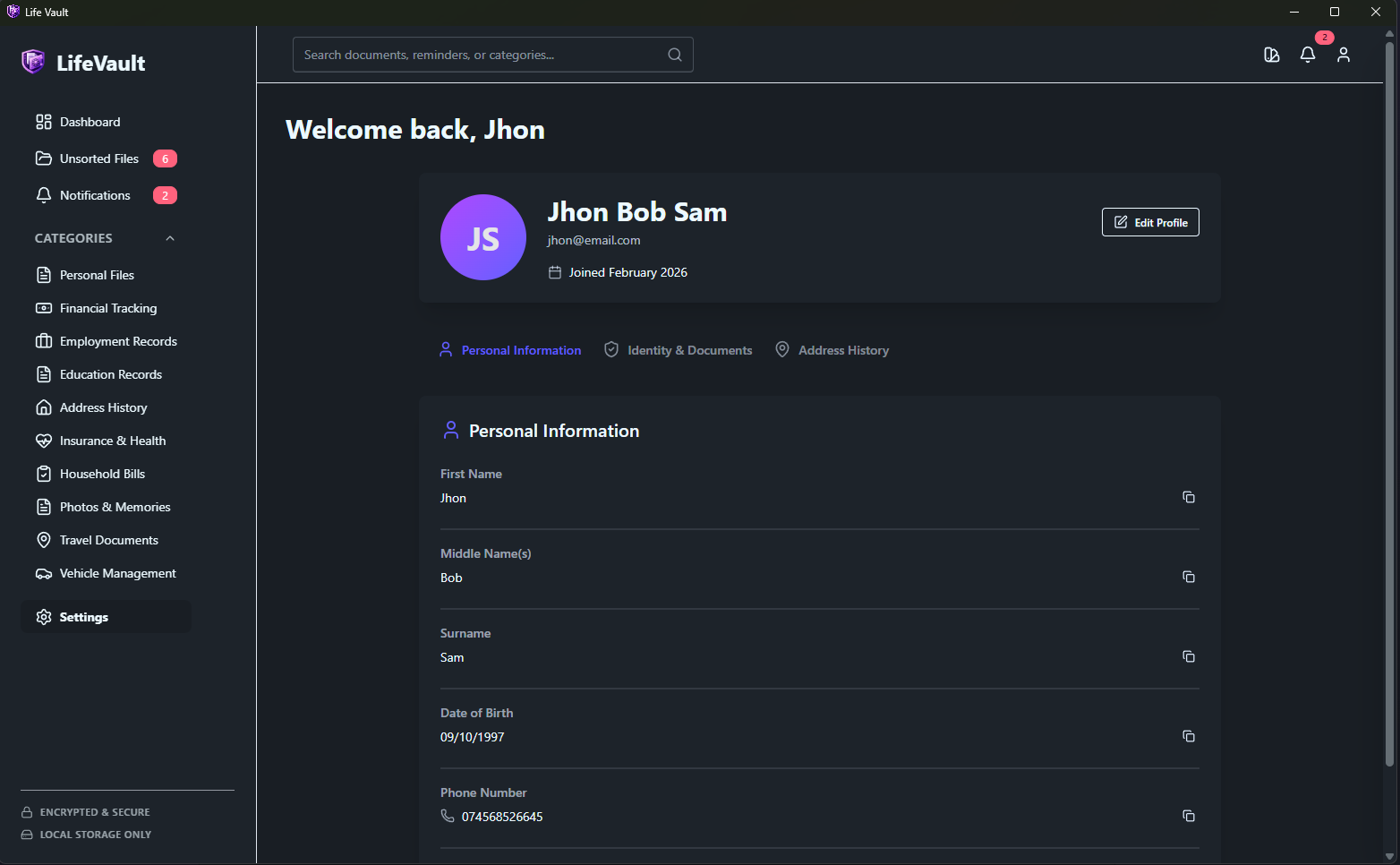
Personalize Your Experience
Customize LifeVault to fit your workflow with profile settings, preferences, and storage configurations.
Ready to Get Started?
Download LifeVault now and start organizing your digital life today.
Download Now